Make Sharing the Point of Value
Design the product so using it and sharing it are the same step.
Every growth team eventually builds a referral program: an invite screen, a reward, an email nudging users to tell a friend. Most of these move almost nothing, because they ask people to do a second thing after they already got what they came for. The stronger version skips the ask. You build the product so the output cannot exist without leaving the app, and the moment the work is finished is the moment it goes out the door.
What to do: Find the single output your product creates for someone other than the user, a video, a document, a design file, an invoice, and make the finish action generate a shareable link automatically. Don't put sharing behind a button people have to find. Put it at the end of the step they were already taking, ahead of any save action, and copy the link to their clipboard so pasting it is the reflex, not a decision.
Why it works: The recipient gets exposed to your product without ever choosing to try it, so every use of the tool doubles as an unpaid demo for someone new.
Example: Loom ends every recording by generating a shareable link and copying it to the clipboard, so sharing isn't a bolted-on ask, it's the last step of using the product at all. Atlassian bought Loom for $975 million in October 2023, when it had 25 million customers and more than 5 million video conversations happening every month, a loop where the product isn't finished until it's been sent to someone else.
Walk it through
You can't inspect Loom's private product surface from the outside, but Atlassian's own support documentation states the default behavior in plain language, and it's worth reading literally.
1. Read what the settings page assumes, not just what it says.
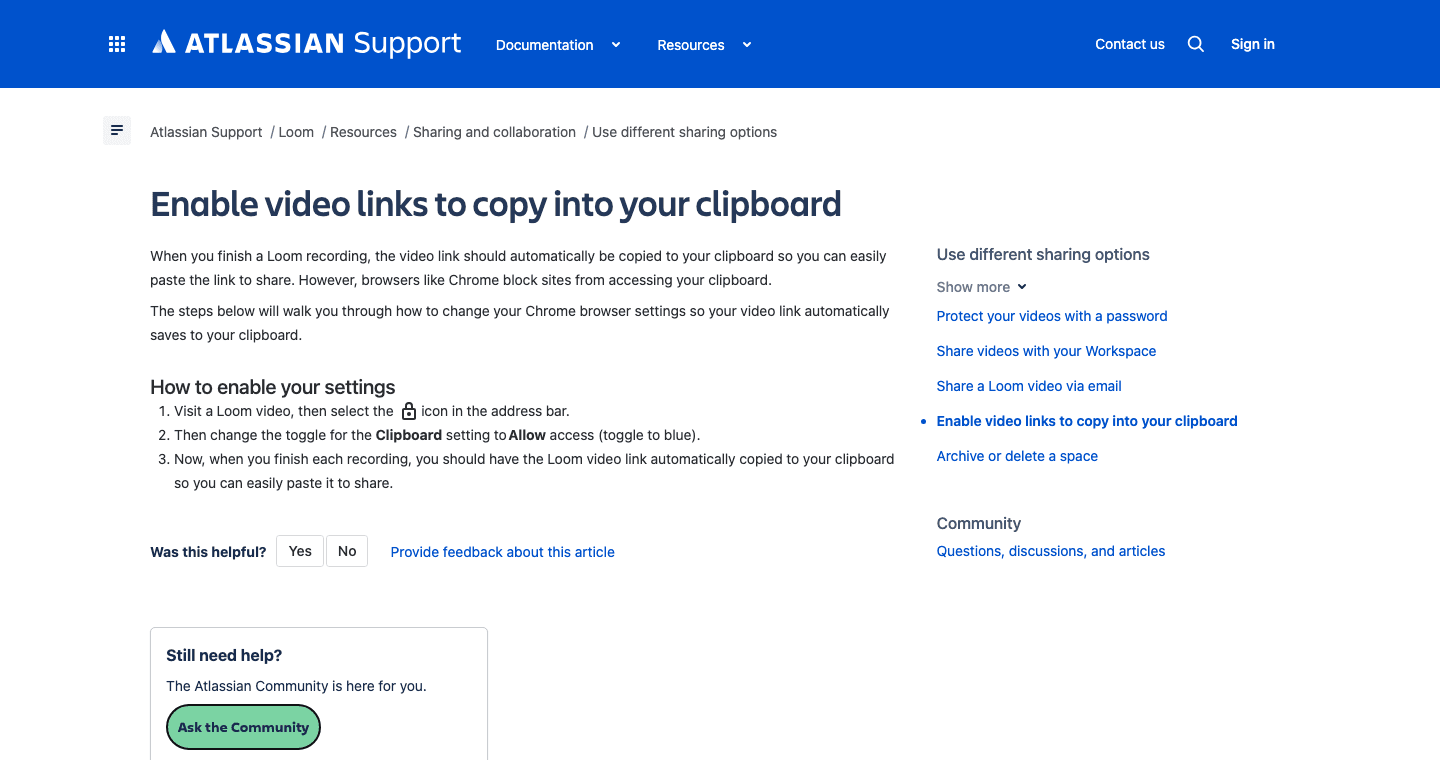
The article is titled "Enable video links to copy into your clipboard," and the first line explains why it exists: "When you finish a Loom recording, the video link should automatically be copied to your clipboard so you can easily paste the link to share." Read the framing carefully. The article isn't selling you on a feature. It exists because Chrome sometimes blocks the clipboard write, and Loom is telling you how to unblock your own default. Auto-copy is the intended behavior. The toggle is damage control for when the browser gets in the way of it.
2. Name your product's equivalent of "finish recording."
Every product has a moment where a piece of work becomes done enough to leave the user's screen. In Loom it's the stop button. In a form builder it's publish. In a resume tool it's export. In an invoicing tool it's send. Name that single moment before you touch anything else, because the whole tactic hangs on it.
3. Attach link generation to that moment, not to a separate share flow.
Don't add a share modal that opens after the fact. Make the finish action itself produce the URL, live, with no additional save step in between. If your architecture can't generate a public link at that instant, that's your real blocker, not your messaging.
4. Make the clipboard, not a dashboard, the delivery mechanism.
Loom doesn't drop you into a list of "your videos" and wait for you to go find the link. It puts the link in your clipboard before you've decided what to do with it, so the fastest possible next move is pasting it into Slack or an email you were already writing. Match that. Whatever channel your users paste into, be the thing already sitting there.
The read
- The artifact is the ad. Every link opens with your product's player wrapped around the content, so the person you sent it to sees your product before they see the reason you sent it.
- Default beats opt-in. Loom's own documentation treats "copies to clipboard automatically" as the resting state and frames manual copying as the failure mode to fix. If your version of this needs a checkbox first, you built the wrong default.
- The unit of value and the unit of growth are the same object. Loom didn't need a viral mechanic bolted onto the product because the video already had to travel to be useful. Nobody records a Loom to watch it alone.
Steal it
Audit your own product for every output a user creates where the real audience is someone else: a report, a quote, a dashboard, a job posting, a design. For each one, ask whether finishing the work and sharing the work are currently two separate actions. If they are, you're paying a tax on every single use, because some fraction of users will just skip the second step. Collapse the two into one and you get the referral loop for free, because you were never asking anyone to refer. You were just letting them finish their own work.
Defend the reverse side too. If a competitor runs a version of this loop, its outputs are traveling through your prospects' inboxes right now as decks, onboarding docs, or demo videos, and every one is an ad you can't turn off. The fix isn't to copy their exact artifact. It's to find the output in your own product that already has a built-in audience and make sure that's the one doing the talking, not a generic invite email nobody opens.
Gotchas
- Not every output wants an audience. Force a public link onto something private, a contract, an HR file, financial data, and you've built a leak, not a loop. Default to public sharing only where the content is supposed to travel.
- The artifact has to be good enough to be the ad. Loom's link works because the video behind it is actually useful to the person who gets it. If the shared object embarrasses the sender, they stop making it, and the loop dies at the source.
- Clipboard automation needs consent, not just code. Browsers actively block silent clipboard writes for good reason, which is exactly what Loom's support article is walking around. Build the permission ask into onboarding. Don't rely on catching it later.