Follow Champions to New Jobs
Your best warm intro just got promoted somewhere with budget.
Somebody who loved your product just took a new job. They did not stop being a fan, they just left the building. Most companies let that LinkedIn notification scroll past like any other update. That is a mistake, because the person on the other end already knows your product works, already trusts you enough to vouch for it, and just landed inside a new company that almost certainly has the same problem theirs did. The catch is a short shelf life. Wait a month and the new-job glow wears off, their calendar fills up, and you are back to cold outbound with a stranger.
What to do: Keep a running list of past customers and product champions, tagged with their name and LinkedIn profile, and watch it for job changes. The moment one moves, reach out that week with a short, personal note about the new role, not a pitch.
Why it works: The person already has proof your product works and already has social capital in their new building. You are not introducing yourself, you are reactivating a relationship, and reactivated relationships close faster than new ones.
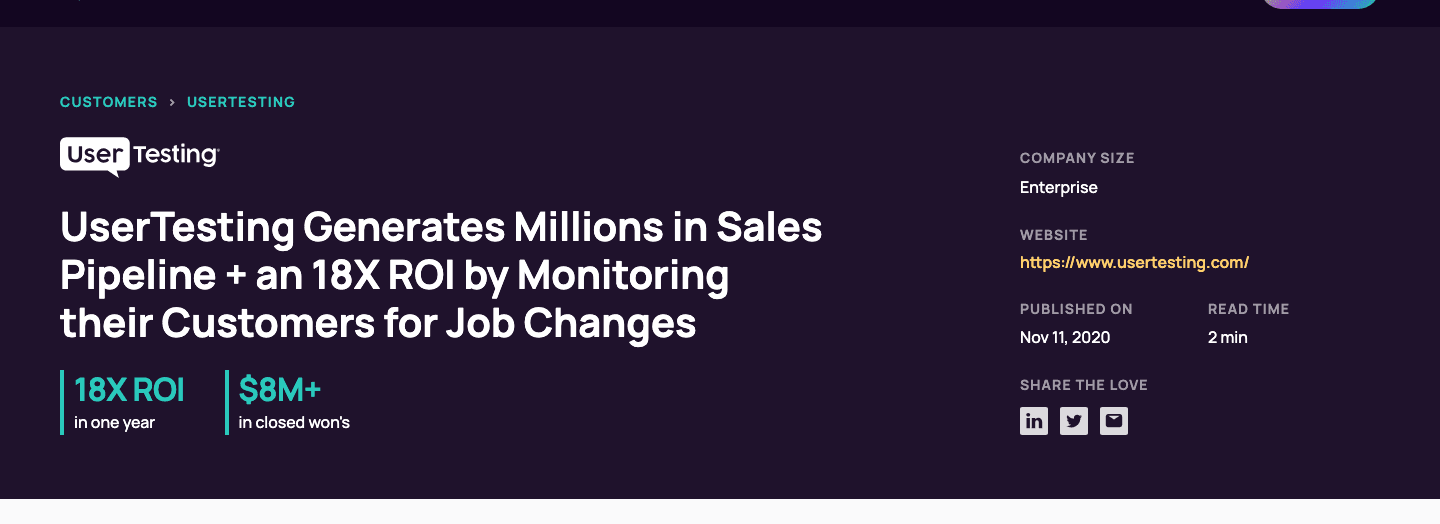
Example: UserTesting used UserGems to track when past product champions changed companies. The job-change trigger surfaced 1,300 warm leads in a single week, and tracked from 2021 through April 2023, those former champions drove $25M in pipeline, converting at roughly double UserTesting's normal outbound response rate.
Walk it through
Here is the actual mechanism, pulled from UserTesting's own published numbers, plus the free version anyone can run without buying a platform.
1. Build the champion list before you need it.
Every closed-won deal has a person who actually used the product and pushed for the renewal, not just the name on the contract. Pull that person's name, company, and LinkedIn URL into a running list the day the deal closes, win or lose. Do not wait until you are looking for pipeline to go build the list. By then the trail is cold.
2. Turn on a trigger for job changes.
UserTesting fed this list into UserGems, which watches for job changes and pushes the new company, title, and email straight into Salesforce automatically. If you do not have that budget, the free version still works: save each name as a lead in LinkedIn Sales Navigator. Sales Navigator pushes a job-change alert to your homepage and inbox the moment a saved lead moves, no scraping required.
3. Reach out inside the first week, and lead with the relationship.
"Congrats on the new role at [Company]. You were running [Old Product] over at [Old Company], curious what the stack looks like where you landed now." That is the whole email. No deck, no pricing, no pitch. You are re-opening a door, not knocking on a new one.
4. Route it like a pipeline source, not a one-off nice message.
This is the part most companies skip. UserTesting did not leave this to individual reps remembering to check LinkedIn. Job-change leads landed in Salesforce on a schedule, sales ran a dedicated sequence built for this exact list, and marketing sent a congratulations gift by direct mail alongside the outreach. Here is the result they published.
And here is the pitch UserGems runs on its own product page for exactly this mechanism, re-engaging customers and champions at their new companies.

The read
- Timing beats targeting. A champion is worth more in their first week at a new company than in month six, before the calendar fills up and the new-job energy fades.
- You are reselling trust, not the product. The pitch barely needs to exist because the relationship already did the convincing. That is why the response rate roughly doubles.
- It only works as a system. UserTesting's number came from a scheduled feed into Salesforce and a dedicated sequence, not a rep occasionally noticing a LinkedIn update. Ad hoc does not compound.
Steal it
Start the list today even if you have no budget for a platform. Every time a deal closes or a customer churns, grab the champion's name and LinkedIn URL and drop it in a sheet. Save each one as a lead in Sales Navigator so the job-change alert is free and automatic. When you get real pipeline out of this, that is your signal to graduate to a tool like UserGems that writes straight into your CRM and saves someone the manual check.
Defend the same door from the other side. Your own champions are leaving too, and a competitor with this same playbook running will be in their inbox the week they land somewhere new, congratulating them and asking what their new stack looks like. Track your own champions' job changes as a churn early-warning system, not just an outbound source, so you are the one reaching out first.
Gotchas
- A job change is not proof of budget. Someone can land at a new company as a junior hire with zero purchasing authority. Check the new role and company size before you spend a personalized email on it.
- Do not let it read as automated. A congratulations message triggered by a dashboard reads as exactly that if it is generic. Write it like you noticed, not like a workflow fired.
- Respect what the data actually is. This tracks real people's career moves, not anonymous traffic. Use LinkedIn's own alerts or a vendor with proper API access, and do not build a scraper to pull job changes in bulk. That is a fast way to get an account banned and a slower way to end up on the wrong side of data-privacy rules.